Chess
- 4.5
- Rating
- 100.00M
- Installs
- Free
- Price

 Analysis by App-foxy
I spent time with Chess as a straightforward board game rather than treating it like a large lesson platform. That distinction matters. Its appeal is the familiar chessboard, clean turn-based play, and a gradual path through levels, while its limits become clearer if you want deep coaching, social competition, or extensive customization. I found it easiest to appreciate as a game I could open for a focused match, a short practice session, or a quiet puzzle-like challenge without needing to prepare much first.
Chess is developed by Chess Prince and is available free of charge, with optional in-app purchases ranging from $0.99 to $4.99 per item. It is rated for Everyone, runs on Android 6.0 or later, and the current version is 2.9.3. Those details make it a practical choice for many households, particularly when different people share devices or when the player wants a traditional board game without paying before trying it.
The game has been available since June 25, 2015, and its reach is substantial: it has passed 100 million installs, with an average rating of 4.5 from around 2.1 million ratings and roughly 29,000 written reviews. Popularity alone does not prove that a game will suit every player, but here it does suggest that the basic presentation and familiar rules work for a very broad audience.
You May Also Like

 AccuWeather: Weather Radar
AccuWeather Review: A Quick, Clear Forecast for Everyday Decisions
For everyday plans, the best forecast is the one you can understand quickly. AccuWeather makes rain timing, radar, and local conditions easy to act on, with a few trade-offs.

 Hill Climb Racing
Why Hill Climb Racing Still Turns Crashes Into One More Run
A tiny car, a bumpy hill and one more upgrade: Hill Climb Racing keeps resurfacing because its simple chaos makes every near-miss feel personal.

 AliExpress - Shopping App
AliExpress Makes Global Shopping Feel Personal, but Shoppers Bear the Risk
AliExpress turns a global marketplace into a pocket-sized discovery engine. Its reach is useful, its shopping loop compelling, and its trade-offs easy to miss.

 Lords Mobile: Kingdom Wars
Lords Mobile Is a Kingdom-Building Routine, Not a Quick Match
A case-by-case verdict on the building, battles, device demands, and social commitments that make Lords Mobile rewarding for some players and exhausting for others.

 PDF Scanner app - TapScanner
TapScanner Makes Paperwork Easier to Capture, Check, and Share
TapScanner makes scanning with a phone feel less like a rescue operation and more like a dependable step in getting work done. Its capture tools are useful, though not flawless.

 Block Blast!
 Shows How Much a Puzzle Game Can Leave Out
A quiet grid game shows why puzzle players increasingly value instant clarity, repeatable skill and low-pressure play—and where the genre still needs to catch up.
More From Our News Desk
View All News


How clearly the board supports different players
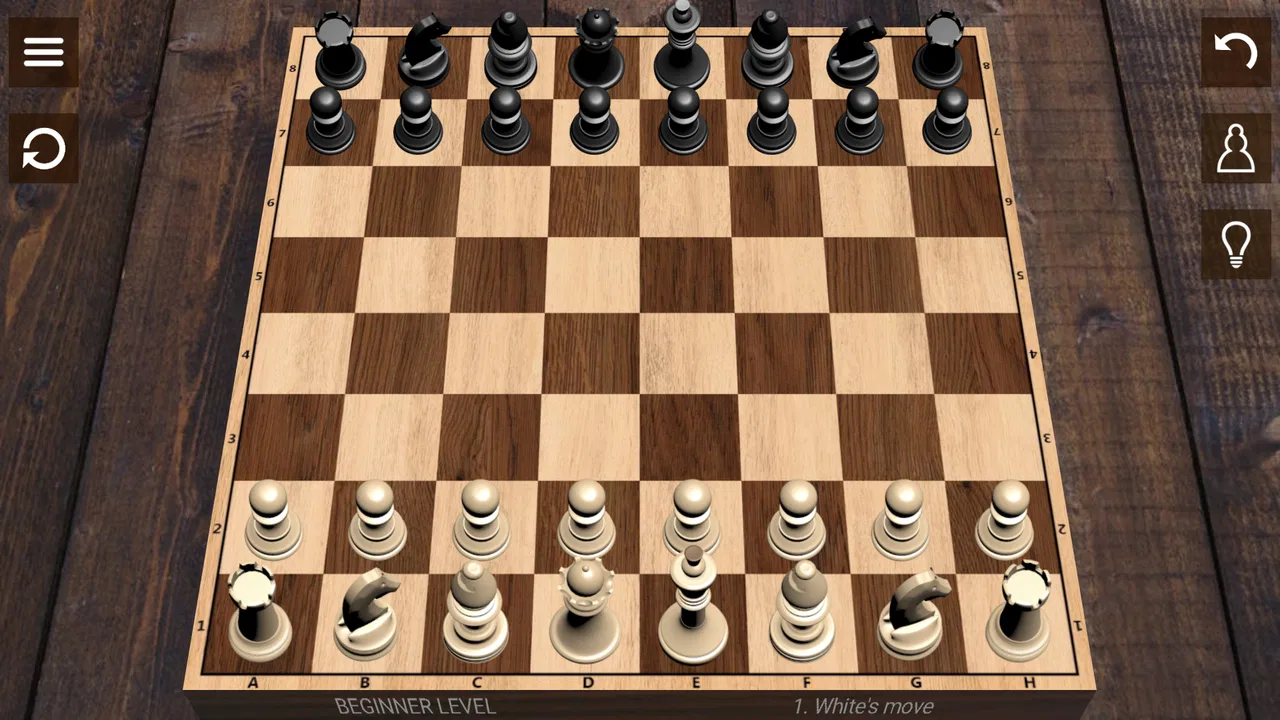
The first thing I noticed is that the board itself carries most of the experience. Chess does not need a complicated menu structure to explain what is happening: pieces occupy visible squares, turns alternate, and the objective is understood through the position. That simplicity helps someone who already knows chess get started quickly, while progressive levels give a newer player a reason to continue instead of facing the hardest possible opponent immediately.
For readability, the important question is not just whether the pieces look attractive. It is whether I can identify them quickly when the position becomes crowded. The visual design is pleasant, but a beautiful board can still become tiring if the player has difficulty distinguishing piece shapes, square colors, or the last move. I recommend trying a few levels before committing to long sessions, especially if you rely on enlarged text, strong contrast, or a particular board style to read comfortably.
Navigation is most comfortable for someone who prefers a direct game flow. I could think about the position instead of learning a large collection of screens. That is a genuine strength for casual players and children who may be discouraged by a dense chess interface. It also means that people expecting a full training dashboard, detailed opening library, or extensive analysis workspace may find the experience comparatively lean.
A useful habit is to treat each move as a deliberate reading step. Before touching a piece, scan the whole board, identify both kings, and check whether any piece is already under threat. This is especially helpful on a phone, where a smaller display can encourage tunnel vision. I found that the progressive structure works best when I resist rushing through easy levels simply because the controls feel familiar.
Why the progressive approach matters
Many chess apps throw a beginner into a match and leave the player to interpret every mistake alone. The gradual level structure here is more approachable. It lets a new player build confidence through repetition, while an experienced player can use easier positions as a warm-up or a way to test a particular habit, such as checking for hanging pieces before attacking.
There is a trade-off, though. Progressive levels are not the same as a complete teaching curriculum. A player who wants every error explained, with named principles and carefully sequenced lessons, may need a dedicated chess tutor or learning app alongside this game. I would use this title for practice and play, not as my only resource for mastering chess theory.
It is also worth remembering that visual clarity and chess clarity are different things. A board can be easy to see while a position remains mentally demanding. New players may still need a physical board, a friend, or an external beginner guide to understand concepts such as development, king safety, and pawn structure. The game can provide practice, but it cannot automatically replace patient explanation from another person.
Motor and sensory considerations during play
Chess is naturally friendly to players who prefer slow, turn-based interaction. There is no need for rapid tapping, continuous swiping, or precise timing under pressure. A person with limited dexterity may find selecting one piece and then its destination less demanding than controlling an action game. The biggest practical concern is accuracy: on a small touchscreen, an unintended tap can change the position or interrupt a carefully planned move.
I suggest using a stable surface rather than holding the phone in one hand during serious games. Resting the device reduces accidental movement and gives the player more time to confirm the source and destination squares. If touch control is uncomfortable, the game may not be the best fit, because chess still depends on selecting pieces directly on the board. A larger screen can make that interaction easier, but I would not assume that every display, input method, or assistive setup will behave identically.
For players with reduced vision, the central challenge is distinguishing pieces and squares throughout a complex position. The board may look clear at the beginning, yet become harder to parse after exchanges and pawn advances. I found it useful to pause mentally after every move and describe the position in words: where the kings are, which pieces are attacked, and what changed. That method reduces dependence on a quick visual glance.
Players with color-vision differences should pay attention to whether the chosen board and piece contrast feels comfortable in practice. Chess relies on shapes as well as colors, which is helpful, but the square pattern still contributes to orientation. If the board becomes ambiguous, a different device or a more spacious viewing setup may be preferable. I would test this before playing long matches rather than discovering the problem after several frustrating losses.
Sound is not central to the way I play this game. That can be a benefit for someone who wants a quiet experience or needs to keep audio low in a shared room. It also means that a player who depends on spoken feedback or nonvisual move confirmation should be cautious. I would not choose it on the assumption that every board state will be communicated through audio or other sensory channels.
Making a short session easier to manage
One of my favorite practical uses is a ten-minute routine: play a few moves, stop before fatigue sets in, then review the position mentally before returning later. This works well for someone whose attention varies during the day. Chess does not require the physical intensity of many games, but concentration still drains quickly when every square matters. Short sessions make the progressive levels feel more manageable and reduce the temptation to move simply to finish.
For a child, I would sit nearby at first and ask questions instead of taking over: “What can the other player capture?” or “Which piece is protecting your king?” That turns the game into a shared activity without pretending that the app itself provides a complete accessibility or education program. For an older relative, a larger phone or tablet, good lighting, and a stable stand may matter more than the level selected.
People with tremors or limited precision should be especially careful with the move-confirmation habit. Before tapping, place the finger over the intended piece, verify its square, and then choose the destination slowly. If a mistake cannot be comfortably corrected, that friction may outweigh the game’s other advantages. This is one situation where a physical chessboard, magnetic pieces, or a computer with a larger input area could be the better alternative.
Where it fits in everyday situations
I can easily imagine using Chess during a quiet break, on a commute where the device can remain steady, or at home when I want a game that does not demand constant attention from everyone in the room. The board-game format also makes it suitable for passing a phone between family members, although each person’s comfort with the screen and controls will determine whether that is genuinely convenient.
A realistic scenario would be a beginner who has learned how the pieces move but keeps losing material early. Instead of searching for a long lesson, that player can open a lower progressive level and adopt one rule: before every move, look for checks, captures, and threats from both sides. After a week of short sessions, the player may not know formal opening names, but should become more aware of immediate danger. That is a valuable use of a simple chess game.
Another scenario is a stronger player who wants a calm warm-up. Easier levels can help with board vision and calculation without the emotional pressure of an online ranking match. The trade-off is that a warm-up against predictable opposition may not prepare someone for the creativity and time pressure of human competition. For that purpose, a dedicated online chess service with live opponents and stronger analysis would be more suitable.
Families should also consider the difference between “Everyone” as a content rating and “easy for everyone” as a user experience. The game is appropriate in subject matter, but a young child may still need help reading the board and understanding why a move fails. A person with visual or motor difficulties may need a larger screen or a different chess format. The age rating is reassuring for general content, not a guarantee that every player will find the interface equally accessible.
Because the game is free to start, it is easy to try without making a financial commitment. Optional purchases can be a minor consideration in a shared-device household, particularly if a child is using the phone. I would check the purchase flow before handing the device over and decide whether the free experience already meets the family’s needs. For many casual players, the main decision is not cost but whether the available presentation and level progression provide enough variety.
What it does well compared with other chess choices
Compared with a physical board, this game is more portable and does not require a second person to be available at the same moment. It is also less intimidating for someone who is still learning the movement of each piece. A physical set remains better for tactile learners, group teaching, and players who find a phone screen cramped or distracting. I would choose the board when the social activity matters as much as the game itself.
Compared with a feature-heavy online chess platform, this title feels more focused on immediate play and progressive challenge. That can be refreshing when I do not want accounts, social features, rankings, or a busy competitive environment. On the other hand, serious players may miss richer analysis, tournament tools, large opponent pools, or structured lessons. If your goal is to measure improvement against people worldwide, this is unlikely to be the only chess tool you need.
Compared with a chess puzzle app, the experience is broader but potentially less precise. Puzzles isolate a tactical idea and often teach through a carefully selected position. A progressive game asks me to manage the whole board, which is closer to a real match but can make it harder to identify exactly what lesson I should take from a loss. I would use puzzles for targeted tactics and this game for general decision-making practice.
The attractive graphics are useful when they support orientation, but they should not be mistaken for a deep customization system. Players who need a very specific visual arrangement, notation style, or assistive workflow should investigate the interface directly on their own device. My judgment is based on how naturally the game supports ordinary touch play, not on any claim of formal accessibility certification.
Barriers that remain before I would recommend it
The largest barrier is the gap between simple access and complete support. It is easy to begin a game, but players who need detailed explanations, alternate input methods, spoken descriptions, or extensive visual controls may reach the app’s limits quickly. That does not make it a poor chess game; it means the uncomplicated design favors players who can already interpret a touchscreen board with relative ease.
The second barrier is the mental load of chess itself. Progressive levels can soften the first steps, yet the game still asks the player to remember rules, track threats, and tolerate mistakes. Someone looking for a relaxing game with almost no concentration may be happier with a casual puzzle or card game. Chess is quiet, but it is not effortless.
There is also a risk of outgrowing the format. A beginner may appreciate the clear route from easier to harder play, then eventually want stronger opponents, deeper feedback, or a more social environment. In that case, moving to another chess service is not a criticism of this game; it is a natural change in requirements. I would keep this app as a convenient practice option rather than expecting it to cover every stage of a chess hobby.
Finally, screen size matters more than many store descriptions admit. On a compact phone, the board can feel crowded during a long game, especially for anyone who needs larger visual targets. A tablet or larger display may improve comfort, but the player should test the actual device, lighting, and preferred grip. Accessibility is highly personal here, and the same interface can feel effortless to one person and tiring to another.
My inclusive verdict
I recommend Chess to beginners, casual players, families seeking an age-appropriate board game, and experienced players who want a quiet way to practice without a crowded competitive environment. Its free entry, familiar rules, progressive levels, and modest interaction demands make it approachable. The broad install base and strong average rating also show that the basic concept has connected with many players.
Its strongest quality is the low-friction path from opening the game to making a meaningful move. That matters for people who are new to chess, have limited time, or prefer a focused interface. I especially like it for short routines, patient practice, and shared learning where another person can explain ideas that the game does not spell out.
I would hesitate to recommend it as the sole choice for players who need advanced accessibility controls, nonvisual feedback, highly detailed coaching, live human competition, or a tactile board. Those users may be better served by a physical set, a larger-screen chess program, or a platform designed around their specific input and learning needs. Anyone with motor or sensory considerations should try a short session first, checking board contrast, piece recognition, touch accuracy, and fatigue.
Overall, Chess succeeds by keeping the central board game understandable rather than trying to become everything at once. The result is not a complete chess academy or a universal solution for every ability, but it is a useful, welcoming starting point. If you want a free board game that lets you learn through repeated play and gradually tougher challenges, I think it is worth trying. If you already know exactly which analysis, social, or accessibility tools you require, compare those needs carefully before making it your main chess app.
FAQs for Chess
01What platforms is the chess app available on?
The chess app is available on both Android and iOS devices. You can easily download it from the Google Play Store for Android or the Apple App Store for iOS. Additionally, it may also be available for desktop use through a web browser, offering flexibility across different devices.
02Is the chess app suitable for beginners?
Absolutely! The chess app caters to players of all skill levels, including beginners. It offers tutorials, practice modes, and tips to help new players understand the basics of chess. This ensures a supportive environment for learning and improving without feeling overwhelmed.
03Does the app offer multiplayer options?
Yes, the app features robust multiplayer options. You can play with friends or challenge players worldwide in real-time matches. It also includes a matchmaking system to pair you with opponents of similar skill levels, ensuring a fair and competitive experience.
04Are there in-app purchases or ads in the chess app?
The app may offer in-app purchases to unlock premium features, such as advanced tutorials, exclusive board designs, or ad-free experiences. While the basic version is usually free, it might contain ads. Users can choose to purchase premium versions to enhance their gameplay experience.
05What are some unique features of this chess app?
This chess app includes unique features such as personalized game analysis, AI opponents of varying difficulties, and detailed statistics to track your progress. It also provides puzzles and challenges to help improve your strategic thinking. These features offer a comprehensive experience for players aiming to enhance their skills.
Pros
- Intuitive interface for beginners.
- Offers various difficulty levels.
- Multiplayer mode available.
- Detailed move analysis feature.
- Offline play supported.
Cons
- Limited customization options.
- Ads can be intrusive.
- Occasional lag in online matches.
- Requires internet for certain features.
- No voice chat in multiplayer.

Chess
Gallery